
Fruit Crush 20191.6 - Google Play
You'll be able to see results in few seconds.
Publisher Description

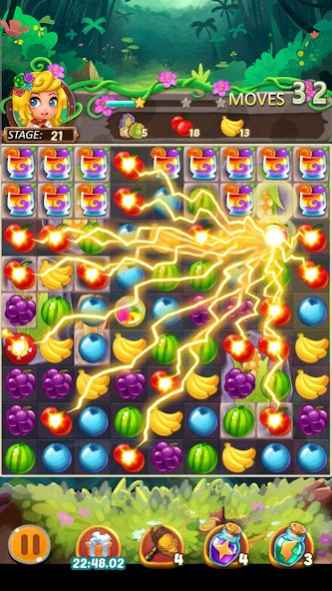

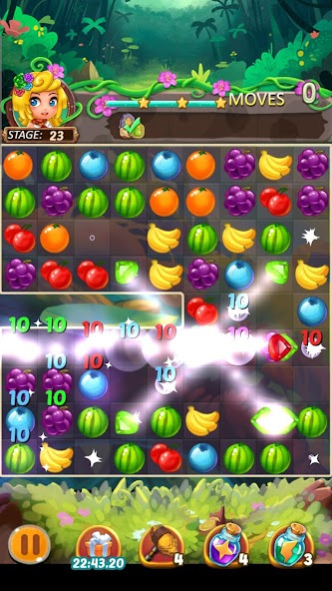
Enjoy limitless match 3 fun without worrying about hearts!
A sweet world of fruits awaits your challenge!
Match 3 or more of the same colored fruits!
Stages will challenge you with various missions and fruits!
Connect sweet fruits to experience a special butterfly effect!
▶ Fruits Crush 2019 : Match 3 Puzzle Official Fan Page : https://www.facebook.com/superbox01
- This game supports '한국어', 'Indonesian', 'Bahasa malay', 'English', '日本語', '中文简体', '中文繁體', 'Deutsch', 'français', 'Español', 'ไทย', 'Русский', 'Arabic', 'Portuguese', 'Turkish', 'Italian'.
【Fruits Crush 2019 : Match 3 Puzzle Features】
▣ Simple rules make this match 3 game fun brain training!
▣ Over 1,000 special stage modes!
▣ No heart limits! Play as much as you want!
▣ No Wi-Fi? No problem! Play any time without an internet connection.
▣ A small game available for download on any device.
▣ Supports 16 languages!
- This game is acceptable for purchasing the items partially. When purchasing the items, the additional costs could be occurred and limited Consumer Right of Defense according to the item types.
▶ Let's Enjoy Subatomic ◀
☆ Subatomic Official Website
☞ http://subatomic.com
☆ SUPERBOX Customer Center
☞ E-Mail : help@subatomic.com
About Fruit Crush 2019
The company that develops Fruit Crush 2019 is Subatomic Studio. The latest version released by its developer is 1.6.
To install Fruit Crush 2019 on your Android device, just click the green Continue To App button above to start the installation process. The app is listed on our website since 2019-06-24 and was downloaded 0 times. We have already checked if the download link is safe, however for your own protection we recommend that you scan the downloaded app with your antivirus. Your antivirus may detect the Fruit Crush 2019 as malware as malware if the download link to com.subatomicstudio.fruitcrush is broken.
How to install Fruit Crush 2019 on your Android device:
- Click on the Continue To App button on our website. This will redirect you to Google Play.
- Once the Fruit Crush 2019 is shown in the Google Play listing of your Android device, you can start its download and installation. Tap on the Install button located below the search bar and to the right of the app icon.
- A pop-up window with the permissions required by Fruit Crush 2019 will be shown. Click on Accept to continue the process.
- Fruit Crush 2019 will be downloaded onto your device, displaying a progress. Once the download completes, the installation will start and you'll get a notification after the installation is finished.
Program Details
System requirements
Download information
Pricing
Version History
version 1.6
posted on 2019-06-24
Disclaimer
Official Google Play Link
We do not host Fruit Crush 2019 on our servers. We did not scan it for viruses, adware, spyware or other type of malware. This app is hosted by Google and passed their terms and conditions to be listed there. We recommend caution when installing it.
The Google Play link for Fruit Crush 2019 is provided to you by apps112.com without any warranties, representations or guarantees of any kind, so access it at your own risk.
If you have questions regarding this particular app contact the publisher directly. For questions about the functionalities of apps112.com contact us.
